

The Short Answer: A Shopify SEO migration involves moving your ecommerce store to the Shopify platform while protecting your search engine rankings and organic traffic. With careful planning, proper URL mapping, and 301 redirects, you can make the transition without losing your hard-earned search visibility.
Moving to a new platform is exciting, but a poorly handled migration can cost you months of SEO progress. Changes to your URL structure, metadata, and internal links all affect how search engines index and rank your site. This guide walks through every step of the Shopify migration process, from pre-migration audits to post-launch monitoring, so store owners and business owners can protect their online presence and keep traffic flowing.
Why Migrate to Shopify?
Shopify has become one of the most popular ecommerce platforms for a reason. It offers built-in hosting, a large app ecosystem, an intuitive admin panel, and built-in SEO features like auto-generated sitemaps and customizable meta tags. For business owners running an ecommerce store on an older or more complex platform, migrating to Shopify can simplify day-to-day operations and improve the overall customer experience.
That said, the migration process itself carries risk. Every time URLs change, search engines need time to re-crawl and re-index your site. Without careful planning, that transition period can result in lost organic rankings, broken links, and a drop in revenue.
Pre-Migration: What to Do Before You Move
The work you do before launch day matters more than anything else. A successful Shopify migration starts with preparation.
Crawl and Audit Your Current Site
Start by crawling your entire website using a tool like Screaming Frog or Semrush. Export a full list of every URL, including product pages, collection pages, blog posts, and any other indexed content. This serves as your baseline.
For each URL, document the following:
- Page title and meta description
- H1 tag
- Canonical tag status
- Internal links pointing to that page
- Organic traffic (from Google Analytics)
- Keyword rankings and impressions (from Google Search Console)
This data gives you a snapshot of your current search performance, which you will use to measure success after the migration.
Identify Your Highest-Value Pages
Not every page carries the same SEO weight. Sort your URLs by organic traffic, revenue, and backlink count to find the pages that matter most. These high-priority pages need one-to-one URL mapping and special attention during the redirect process.
Create Your URL Map
URL mapping is the backbone of any Shopify SEO migration. Shopify uses a fixed URL structure, so your old URLs will change. For example:

Build a spreadsheet with two columns: "Redirect From" (old URL) and "Redirect To" (new Shopify URL). Match every old URL to its closest new equivalent. This one-to-one mapping ensures search engines transfer your existing rankings, link equity, and authority to the new URLs instead of treating them as entirely new pages.
During Migration: Protecting Your SEO

Set Up 301 Redirects
301 redirects tell search engines that a page has permanently moved to a new location. They pass the majority of the original page's authority, backlinks, and SEO ranking to the new URL. Without them, users and search engine bots hit 404 errors, and your search results drop.
A few rules to follow:
- Use only 301 redirects (not 302, which are temporary)
- Avoid redirect chains (old URL → intermediate URL → new URL)
- Avoid redirect loops (URL A → URL B → URL A, creating an infinite cycle that never resolves)
- Redirect removed pages to the most relevant destination. When a page no longer exists on the new site, do not automatically send it to the homepage. Follow this order of priority:
- If a new page serves the same purpose as the old one, redirect there.
- If there is no direct replacement, redirect to the parent category or collection the page falls under. For example, redirect individual blog posts to the main blog page, or a discontinued product to its product collection.
- If there is no logical category or replacement page, then the homepage is an acceptable fallback.
The goal is to send users and search engines to the closest relevant content so they still find what they were looking for.
Shopify allows you to create redirects directly in the admin panel under Online Store > Navigation > URL Redirects. For stores with hundreds or thousands of URLs, a migration tool or bulk CSV upload will save time.
Transfer Metadata
During a full migration, title tags, meta descriptions, and H1s can get overwritten or reset to defaults. Compare your pre-migration metadata snapshot to the new Shopify store and correct any mismatches. Losing optimized title tags is one of the most common and avoidable SEO mistakes during a migration.
Preserve Internal Links
Your internal links help search engines understand your site structure and distribute authority across pages. After the migration, review your content to update any internal links that still point to old URLs. While 301 redirects will catch these, updating the links directly is better for both crawl efficiency and user experience.
Check Canonical Tags
Shopify automatically generates canonical tags for most pages, but some product pages can end up with collection-based URLs that create duplicate content. For example, a product might be accessible at both /products/running-shoe and /collections/shoes/products/running-shoe. Make sure each canonical tag points to the correct primary URL.
If your store serves multiple regions, review your hreflang tags as well to confirm they reference the updated URLs.
Post-Migration: Monitoring and Cleanup
Submit Your New Sitemap to Google Search Console
Shopify automatically generates an XML sitemap at yourstore.com/sitemap.xml. After launch, log into Google Search Console, submit the new sitemap, and request indexing for your most important pages. If you changed your domain as part of the migration, use the Change of Address tool in Google Search Console to notify Google.
Monitor for Crawl Errors
In the days and weeks after launch, check Google Search Console regularly for crawl errors and 404s. Some broken URLs will slip through even with thorough URL mapping. When you find them, add redirects immediately.
You can also run a follow-up crawl with Screaming Frog to catch any issues that Google Search Console might not surface right away, like redirect chains, missing meta tags, or orphaned pages with no internal links pointing to them.
Track Search Performance
Compare your post-migration data against your pre-migration baseline. Watch for changes in:
- Organic traffic (Google Analytics)
- Keyword rankings and impressions (Google Search Console)
- Indexed page count
- Revenue from organic search
Some fluctuation in the first two to six weeks is normal. Most sites stabilize within that window. If you see a steep, sustained drop in traffic, check your redirects, metadata, and internal links for gaps.
Common Shopify SEO Migration Mistakes to Avoid
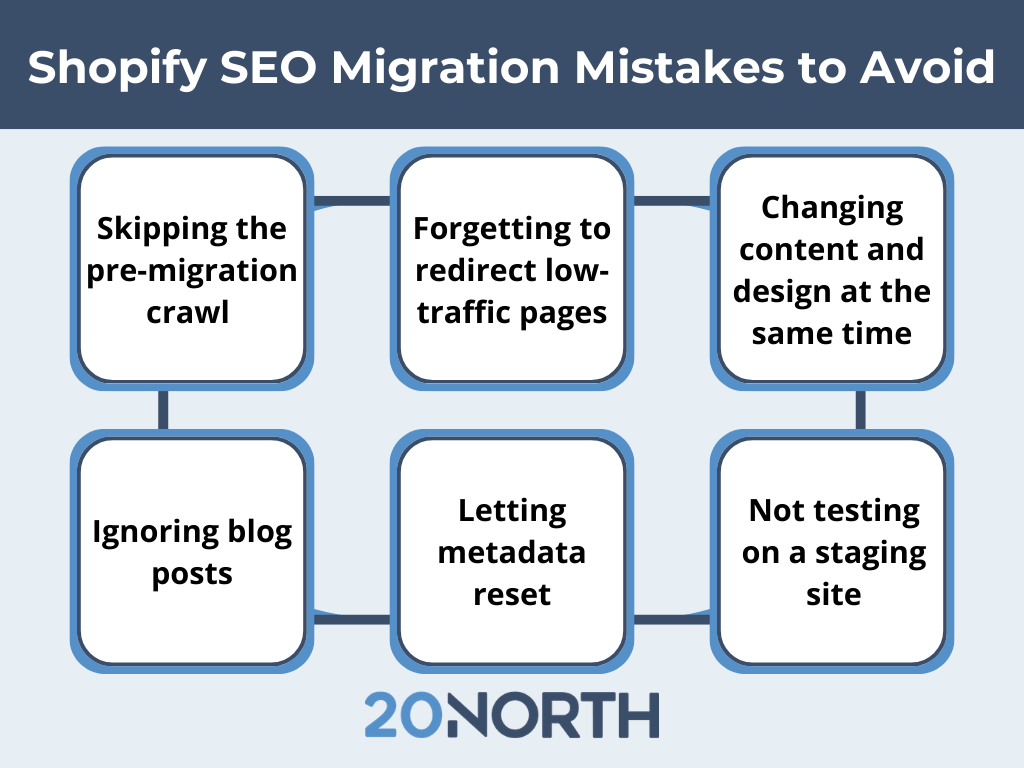
Even with careful planning, these are the mistakes that trip up store owners most often:
- Skipping the pre-migration crawl. Without a baseline you will not be able to map out a plan for URL changes. Instead, you will have to wait until an issue is flagged by a future audit before making any fixes. .
- Forgetting to redirect low-traffic pages. Even pages with modest traffic can hold backlink authority. Redirect them.
- Changing content and design simultaneously. Shopify migrations often include a redesign and content edits, but big changes make SEO issues harder to diagnose. Keep the launch as like-for-like as possible, then iterate once rankings stabilize.
- Ignoring blog posts. Blog content often drives a large share of organic traffic. Map and redirect every blog post URL.
- Letting metadata reset. Shopify may overwrite your title tags and meta descriptions during import. Always verify these after migration.
- Not testing on a staging site. Test your redirects, internal links, and canonical tags on a staging environment before going live.
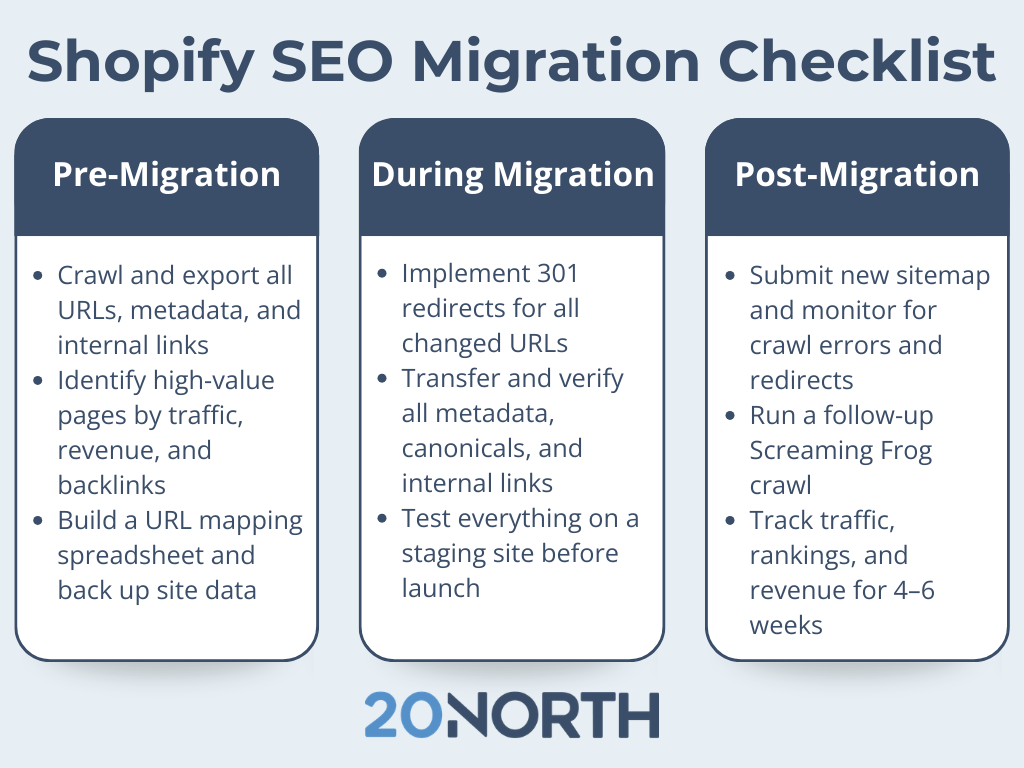
Shopify SEO Migration Checklist
Use this as a quick reference during your migration process:
Planning Your Next Step
A Shopify SEO migration does not have to mean a loss in organic traffic or search engine rankings. With the right preparation, including a full site audit, detailed URL mapping, proper 301 redirects, and consistent post-launch monitoring, you can make a smooth transition to the Shopify platform while keeping your search performance intact.
If you are planning a migration and want technical expertise to protect your organic rankings, 20North can help. Our team specializes in Shopify migrations, Shopify SEO, and web development, handling everything from data integrity and redirect mapping to post-launch optimization. Get in touch to start planning a successful migration.
.png)
.png)
.png)