
.png)
The Short Answer: The productivity tools that help a marketing team most fall into four jobs: project and task management, dashboards and metrics, team communication, and a docs and knowledge hub. Instead of chasing one specific brand, match each to how your team works, since the right fit depends on your workflow and budget. Common platforms range from Asana or Monday for projects to Whatagraph or Google Looker Studio for dashboards, Slack or Zoom for communication, and Notion or Confluence for your hub.
Marketing teams run on a stack of tools, and that stack has a hidden cost. A Harvard Business Review study found that workers toggle between apps and websites about 1,200 times a day, losing nearly four hours a week just reorienting themselves after each switch. The fix is not more tools, it is the right ones, set up so your team spends less time chasing information and more time on the work that grows the business, like SEO, paid ads, and email marketing.
Why the Right Apps Matter for Marketing Teams
A marketing team juggles a lot at once: campaigns, content calendars, design requests, reporting, and a steady flow of deadlines. When that work lives across email threads, sticky notes, and a dozen browser tabs, things slip. Deadlines get missed, the same questions get asked twice, and good ideas disappear into a chat history nobody can find.
Productivity apps solve this by giving your team one clear place for each kind of work: one place to track tasks, one place to talk, and one place to store what everyone needs to know. The payoff is less time spent managing the work and more time spent doing it.
4 Productivity App Categories for Your Marketing Team
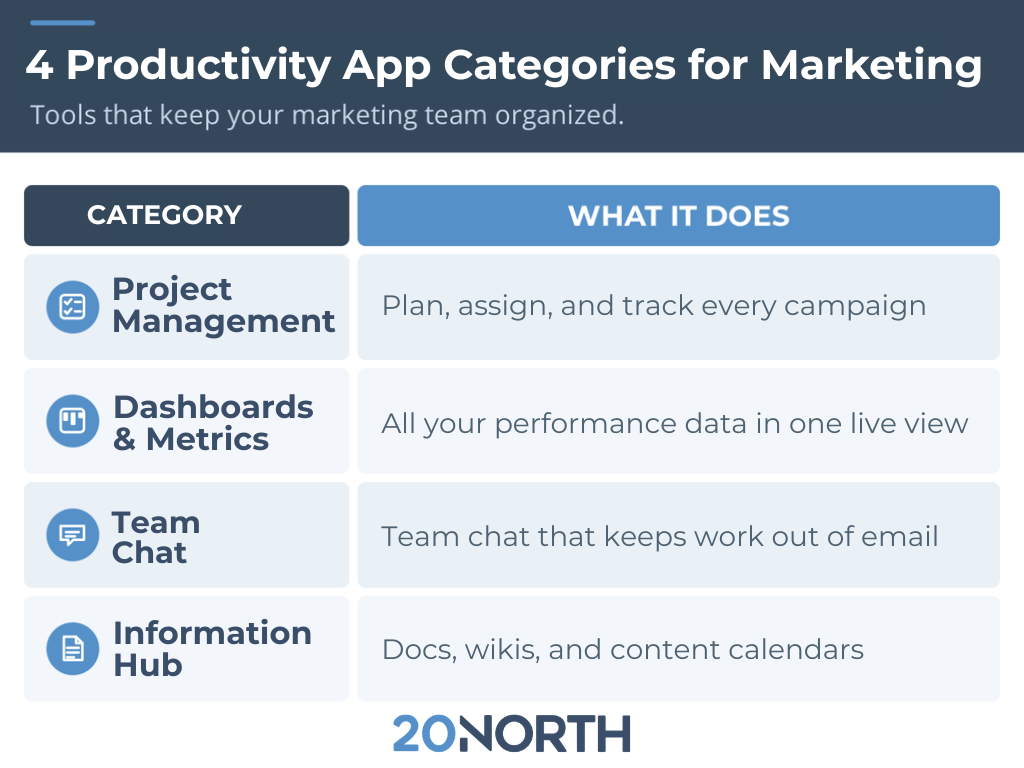
Project and Task Management
A project and task management tool is built for keeping work on track. You can break a campaign into tasks, assign owners, set due dates, and watch the whole thing move forward in a list, board, or timeline view. For a marketing team, that means a product launch or content push has a single home where everyone can see what is due, what is done, and what is waiting on them. Recurring tasks, templates, and automated reminders take the manual follow-up off your plate.
Common platforms include Asana, Monday.com, ClickUp, and Wrike.
Dashboards & Metrics
A dashboard tool pulls your performance data into one live view. Marketing runs on numbers spread across ad platforms, analytics, email, and search, and a good dashboard brings them together so you can report results and spot trends without rebuilding a spreadsheet every month. For a marketing team, that means less time assembling reports and a clearer picture of what is working, all in a format you can share with clients and stakeholders.
Common platforms include Whatagraph, Google Looker Studio, Databox, and AgencyAnalytics.
Team Chat
A team communication tool keeps conversation out of crowded inboxes. Channels or rooms organize discussion by campaign, client, or topic, so the right people see the right updates without a reply-all chain. Direct messages, file sharing, and search make it easy to find past decisions, and integrations let your project and content tools post updates straight into the channels your team already watches.
Common platforms include Slack, Microsoft Teams, Zoom, and Google Chat.
Docs, Wikis, and Content Planning
A docs and knowledge hub is a flexible workspace for documents, wikis, and databases. A marketing team can build an editorial calendar, store brand guidelines, draft blog posts, and keep a searchable knowledge base all in one spot. Because pages link together and databases can be sorted and filtered, your content planning stops living in scattered files and starts working as a home base.
Common platforms include Notion, Confluence, Google Workspace, and SharePoint.
How to Choose the Right Apps for Your Team
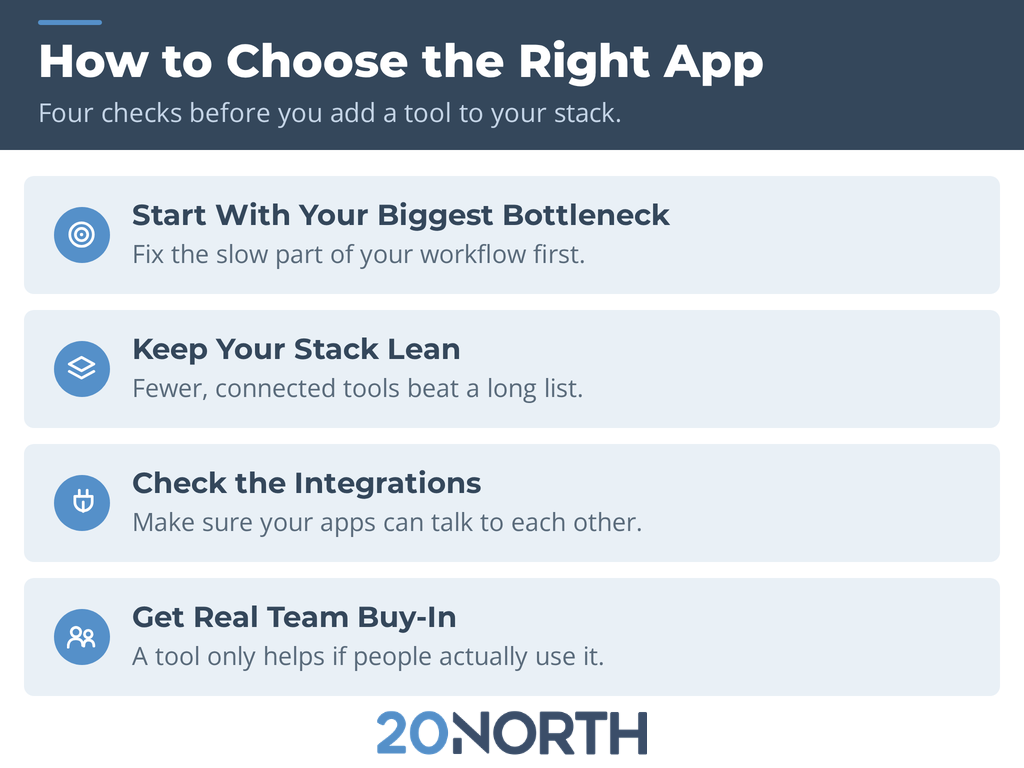
Four good apps will not help if they create more overhead than they remove. A few guidelines keep your stack working for you:
- Start with your biggest bottleneck. Fix the slow part of your workflow first instead of adding tools you do not need yet.
- Keep your stack lean. Every extra app is one more place to check. Fewer, better-connected tools beat a long list of half-used ones.
- Check the integrations. Apps that talk to each other, like a chat tool pulling in project updates, cut down on the switching that drains your team's time.
- Get real team buy-in. A tool only helps if people actually use it. Pick apps your team finds easy, and give everyone a clear reason to adopt them.
Free Up Your Team for Work That Generates Results
The point of these apps is simple: spend less time managing work and more time on marketing that drives growth. Once the busywork is handled, the next question is where to put that reclaimed time.
That is where a partner helps. 20North is a full-service digital marketing agency in Atlanta, and we take execution off your team's plate across SEO, paid media, email, and web. If your team is organized but stretched thin, contact 20North for a free audit, and we will show you where we can help you grow faster.
.png)
.png)
.png)