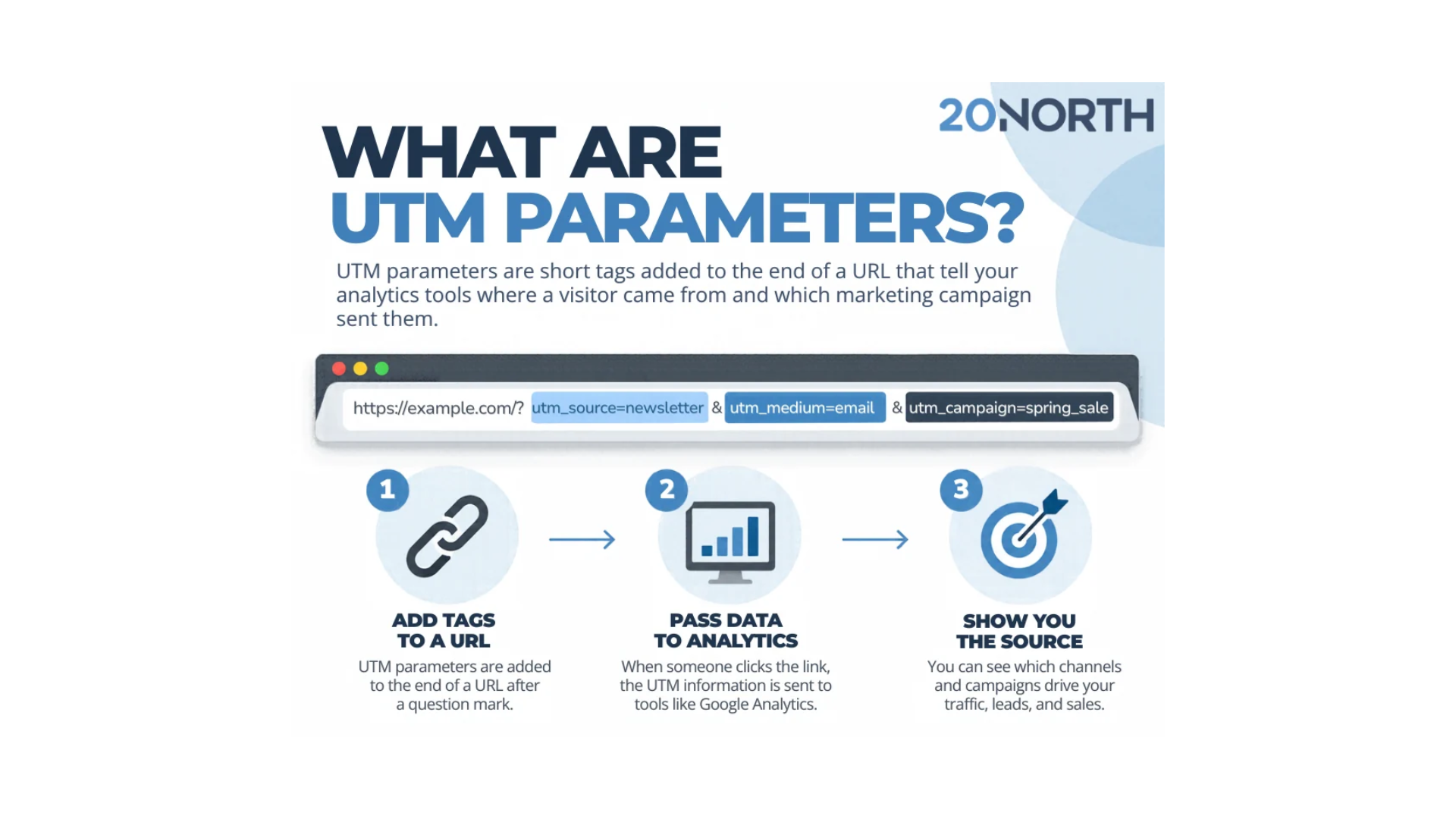
The Short Answer: UTM parameters are short tags added to the end of a URL that tell your analytics tools where a visitor came from and which marketing campaign sent them. They turn vague website traffic into clear, traceable data you can act on.
Every time someone lands on your site, your analytics platform tries to work out how they arrived. When a link carries no extra information, that visit often falls into a catch-all bucket labeled “direct” or “unassigned,” which tells you almost nothing about the channel behind it. In many analytics reports, 20% to 60% of site traffic gets filed under direct, hiding the real sources that drove those visits. UTM parameters close that gap by labeling each link with its source, its channel, and the campaign it belongs to, so your reporting reflects what actually happened.
What Are UTMs?
UTM stands for Urchin Tracking Module. The name goes back to Urchin Software, the web analytics company Google acquired to build Google Analytics. A UTM parameter, also called a UTM code, a UTM tag, or a UTM link, is a piece of text you add to a URL after a question mark. When a visitor clicks that link, the tagged values travel with them into your analytics tools and appear as a named traffic source rather than an anonymous one.
A helpful way to picture UTM codes is as luggage tags for your links. The destination page never changes, but the tag records where the trip began. That small addition gives you reliable utm data for every marketing channel you run, so a click from a newsletter and a click from a paid ad never get confused for one another.
The Five UTM Parameters
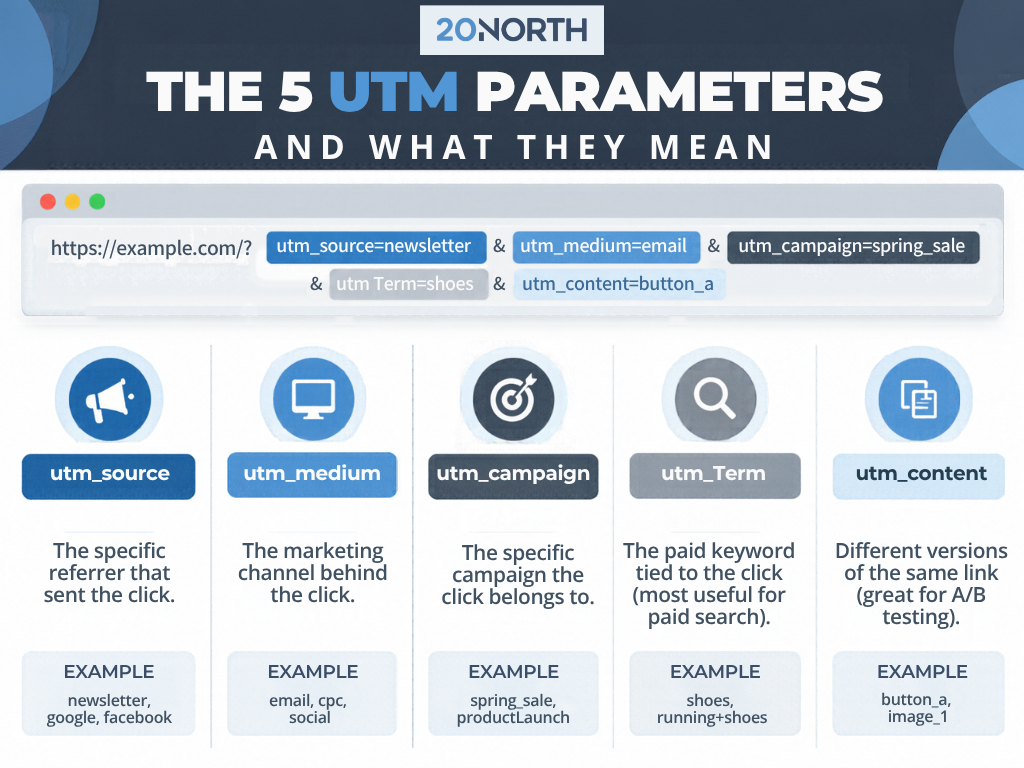
A single UTM link can hold up to five URL parameters. Two are required, and three are optional:
- utm_source names the specific referrer that sent the click, such as a newsletter, google, or a Facebook page, and it is required on every tagged link.
- utm_medium records the marketing channel behind the click, such as email, cpc, or social, and it is also required.
- utm_campaign connects the click to one specific campaign, such as spring_sale or a product launch, and it is the parameter that groups your results together.
- utm_term captures the paid keyword tied to a click, which is most useful for paid search campaigns like Google Ads. It only belongs on paid links, not organic ones, and it records the keyword you assign to the link rather than tracking a specific keyword for each session.
- utm_content is the content parameter that separates two links pointing to the same page, which makes it the right tool for A/B testing two buttons or two creatives.
Inside the URL, each parameter sits as a name and a value joined by an equals sign. The first parameter follows a question mark, and every parameter after it connects with an ampersand.
Why UTM Parameters Matter
UTM tracking replaces guesswork with data-driven decisions. Once your links are tagged, you can compare campaign performance across different sources and see which channels produce leads and revenue. A click from an email campaign reports as email, a social post reports as social, and a paid ad reports under its own campaign name.
Without those tags, that activity collapses into direct traffic, and your numbers understate the channels doing the real work. The problem is growing, because privacy tools and AI search often strip referrer data and push even more visits into the direct bucket. Clean UTM data pushes back against that by naming each traffic source the moment someone clicks.
Tagging also strengthens the work that happens after the click. Accurate source data feeds better conversion rate optimization, since you can tie a specific campaign to what people do on a landing page, and it gives your SEO and paid media reporting a shared, consistent view of every channel.
Pro Tip: Tag and test very outbound link before a campaign goes live, not after. Starting clean means the first click lands in the right report, and a paid media team can build this into your tracking setup from the start.
How to Build a UTM Link
You have two ways to create a UTM link. The fastest is a URL builder, and the most widely used option is Google’s Campaign URL Builder. You enter the page URL and the parameter values, and the UTM builder assembles the finished link for you to copy.
To build one by hand, start with your page URL, add a question mark, then write each parameter as a name and value joined by an equals sign. Connect each pair with an ampersand. A finished link looks like this: https://example.com/?utm_source=newsletter&utm_medium=email&utm_campaign=spring_sale. Google’s documentation on custom campaign URLs explains what belongs in each field.
Your web development and analytics setup decide whether those tags are captured correctly once the link is live, and it is worth confirming your tracking before a big push.
Where to Use UTM Links
UTM links belong on any link where you control the destination and want to measure the click. The most common places include:
- Tag email campaigns and newsletters so every open and click maps back to the right send.
- Add UTM links to social posts, paid social ads, and GBPs running across different channels.
- Tag Google Ads and other paid search or display placements for clean attribution.
- Put UTM links behind QR codes on print materials, packaging, or event signage.
One rule protects your reports: never add UTM tags to internal links between pages on your own site. A tag on an internal link overwrites the visitor’s original traffic source and scrambles your data. Keep UTMs on the links that bring people in from outside sources.
UTM Best Practices
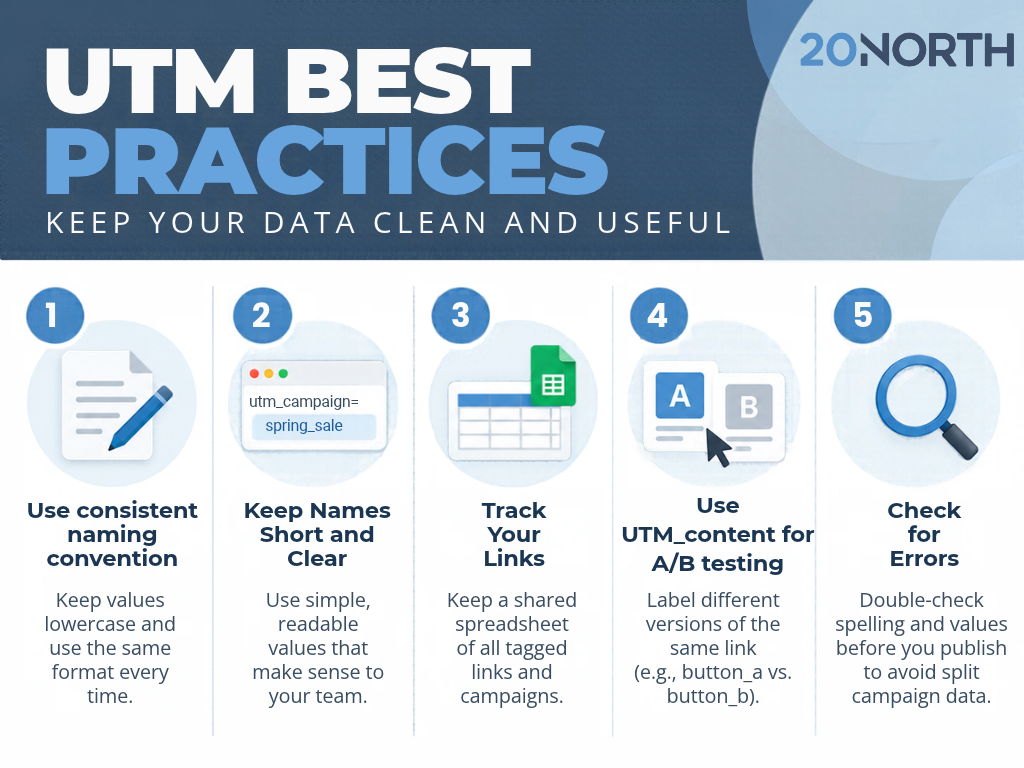
A few habits keep your UTM data clean and worth reading:
- Pick one naming convention and follow it every time, because values are case-sensitive and “Email” and “email” register as two separate sources.
- Keep names short and readable so anyone on the team can understand a report without a key.
- Record every tagged campaign in a shared spreadsheet, so names stay consistent across the team.
- Use utm_content for A/B testing when you want to compare two versions of the same link.
- Check each link for typos before launch, since one misspelled value can split a single campaign into several rows.
Those best practice basics are what make UTMs a powerful tool instead of a tangle of mismatched labels. If any of the terminology is new, a quick glossary check brings everyone to the same page.
Turn Your UTM Data Into Smarter Marketing
UTM parameters are a small piece of text with a large payoff. They reveal which marketing efforts drive the most traffic, which campaigns convert, and where your next dollar should go. Tagged links give you the clean reporting that every data-driven program depends on.
At 20North, we help growing businesses connect SEO, paid media, email marketing, and conversion rate optimization into one measurable strategy. If you want help setting up campaign tracking that ties every click back to revenue, reach out to our team to get started.