
The Short Answer: Connecting Klaviyo with Shopify takes less than an hour and happens directly through the Shopify App Store. Once linked, Klaviyo pulls in your customer profiles, order history, and real-time behavioral data automatically, giving you everything you need to build targeted email flows, smart segments, and personalized campaigns that drive repeat revenue from your existing customer base.
Why Klaviyo and Shopify Work So Well Together
If you run a Shopify store and you are ready to take email marketing seriously, Klaviyo is the e-commerce platform most high-performing brands rely on. Klaviyo was built with e-commerce in mind, and Shopify is its best-supported platform — Shopify even holds an ownership stake in Klaviyo and recommends it as the email platform of choice for Shopify Plus merchants. Together, the two platforms saw 73% revenue growth over three years, highlighting the impact of this seamless integration.
This relationship matters because it means the integration is maintained at a high level and updated regularly alongside both platforms. Once connected, Klaviyo pulls in your Shopify customer data in real time. Purchase history, browsing behavior, cart activity, product views, and customer properties all flow into Klaviyo automatically — giving you the foundation to build highly targeted email and SMS marketing campaigns without manual data exports or third-party connectors.
This guide walks through the full setup process, explains what data flows between the two platforms, and covers how to make the most of the integration once it's live.
Before You Start: What You'll Need
Before diving into setup, make sure you have the following in place:
- A Shopify store (any plan works, though Shopify Plus unlocks additional features)
- A Klaviyo account (free to start, with paid tiers based on list size)
- Admin access to both platforms
- A confirmed sending domain in Klaviyo for deliverability
If you don't have a Klaviyo account yet, you can create one at klaviyo.com and start with the free tier. It supports up to 250 email subscribers and 500 email sends per month, which is enough to get the integration up and running and test your first flows.
How to Connect Klaviyo to Shopify: Step by Step
The connection process is straightforward. Here's how to get it done.
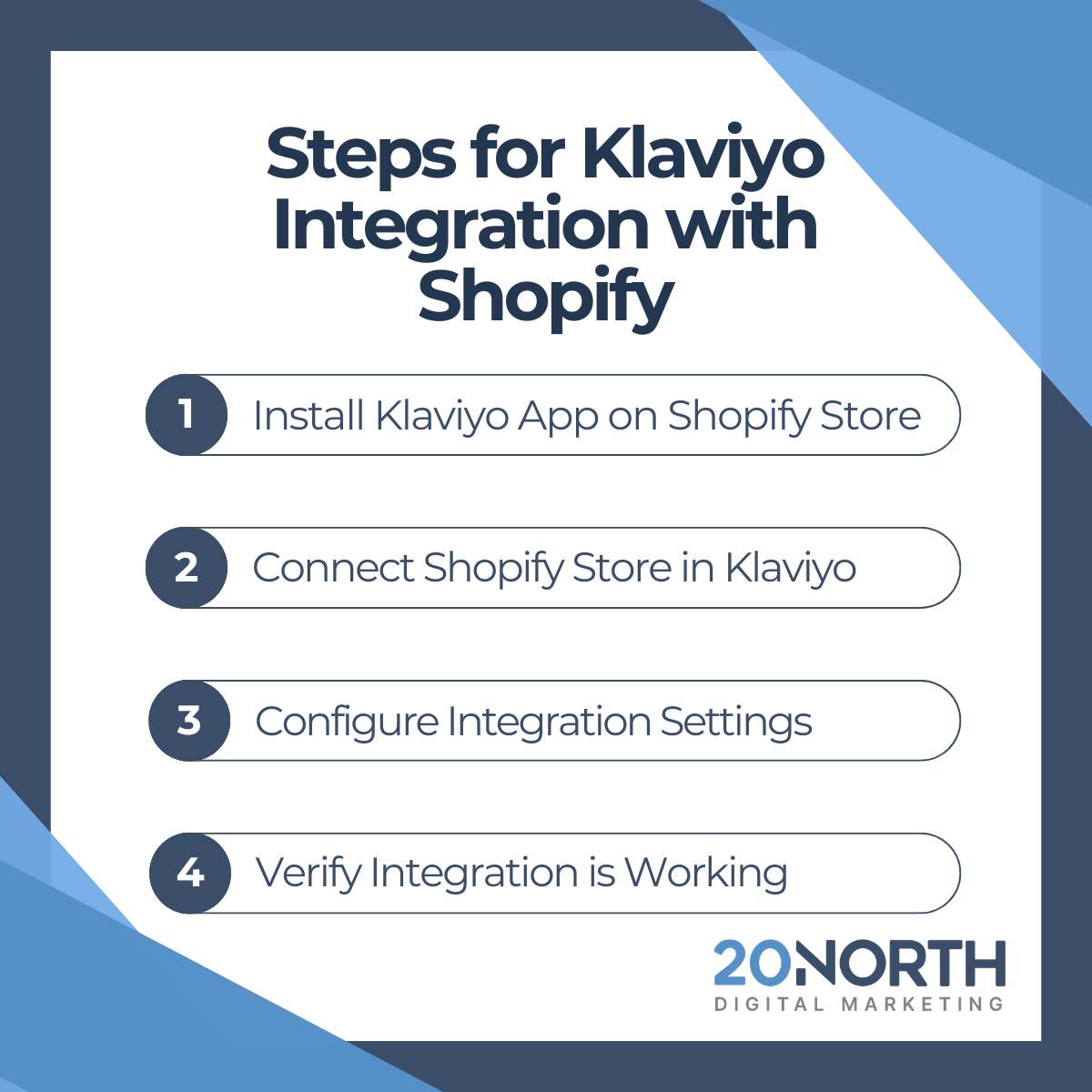
Step 1: Install the Klaviyo App from the Shopify App Store
Go to the Shopify App Store and search for Klaviyo. Click "Add app" and follow the prompts to authorize the connection. This installs the Klaviyo tracking snippet on your Shopify storefront, which is what enables on-site behavior tracking like browse abandonment and product view events.
Step 2: Connect Your Shopify Store Inside Klaviyo
Log in to your Klaviyo account and navigate to Integrations. Search for Shopify and click "Add Integration." You'll be prompted to enter your Shopify store URL (“yourstore.myshopify.com”) and then redirected to authorize the connection from your Shopify admin.
Step 3: Configure Your Integration Settings
Once connected, Klaviyo will present several Shopify integration settings to configure:

Take your time on this step. The historical data sync is especially valuable because it immediately populates your segments and predictive analytics with real purchase data.
Step 4: Verify the Integration is Working
After the connection is complete, browse your Shopify store while logged out and place a test order. Within a few minutes, that activity should appear in your Klaviyo dashboard under "Activity Feed." If you see events populating, your integration is live.
What Data Syncs Between Shopify and Klaviyo
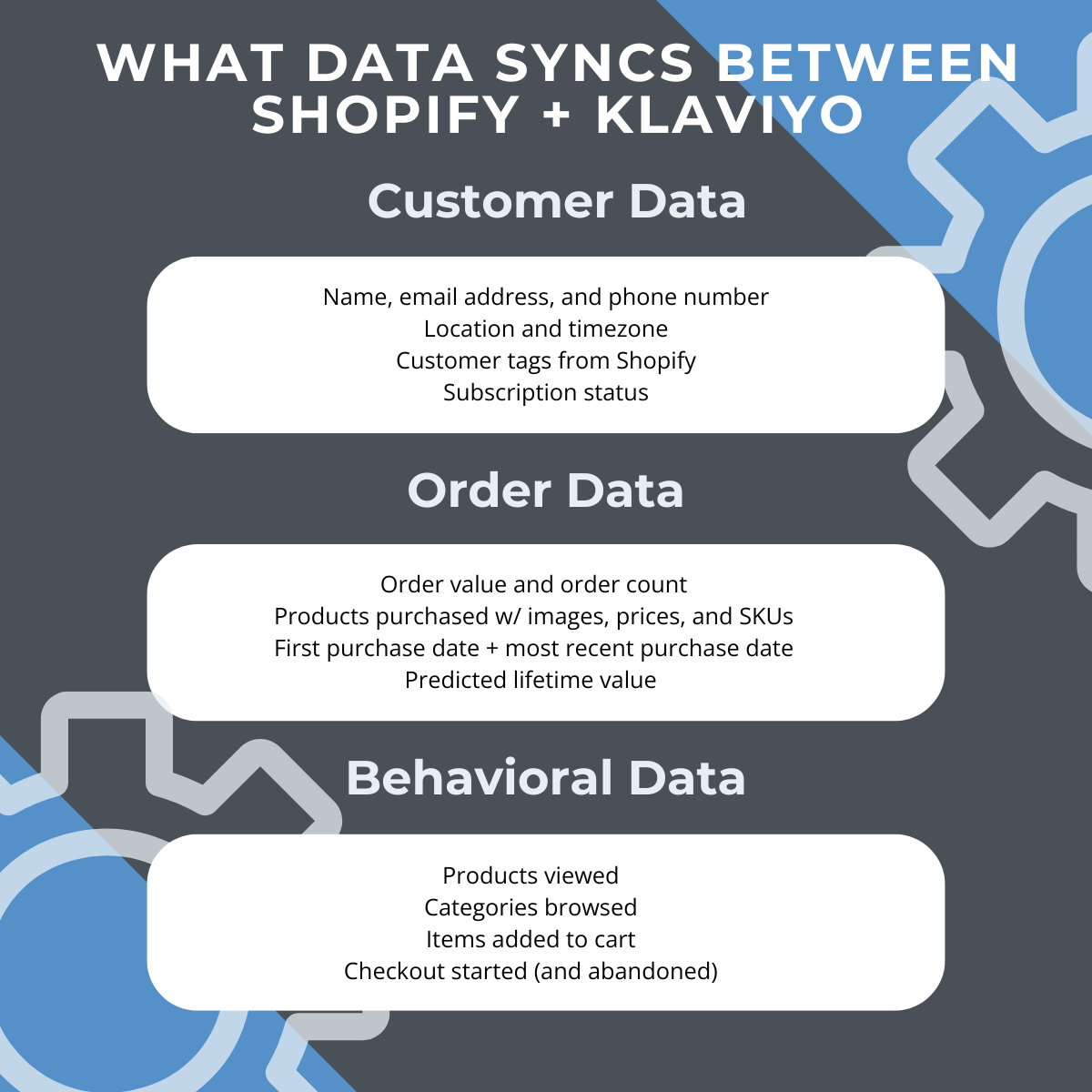
This is where the integration earns its reputation. When you unify customer data across both platforms, here's what flows from Shopify into Klaviyo:
Customer Data
- Name, email address, and phone number
- Location and timezone
- Customer tags from Shopify
- Subscription status
Order Data
- Order value and order count
- Products purchased (with images, prices, and SKUs)
- First purchase date and most recent purchase date
- Predicted lifetime value (calculated by Klaviyo using order history)
Behavioral Data
- Products viewed
- Categories browsed
- Items added to cart
- Checkout started (and abandoned)
All of this data becomes available for segmentation, personalization, and flow triggers. You can build a segment of customers who viewed a collection page but never bought, or target existing buyers based on a specific product purchase in the last 60 days. That level of precision is what makes the Klaviyo and Shopify integration so powerful for e-commerce email marketing.
Common Integration Issues and How to Fix Them
Data is not syncing
If customer events are not appearing in Klaviyo, check that the Klaviyo tracking snippet is active on your Shopify theme. Some themes, especially heavily customized ones, can break the snippet.
You can verify this in Klaviyo under Integrations > Shopify > Diagnostics.
Historical data is missing
The initial sync can take several hours for large stores. If data is still missing after 24 hours, contact Klaviyo customer service directly. They can trigger a manual re-sync.
Duplicate profiles
This sometimes happens when customers use different email addresses for guest checkout vs. their account. Klaviyo handles merging in most cases, but you can also manually merge any Klaviyo profile in the Profiles section of your account.
Checkout email capture is not collecting subscribers
Shopify's checkout email field doesn't automatically opt customers into Klaviyo marketing. You need to enable the marketing opt-in checkbox in your Shopify checkout settings and configure the consent settings inside Klaviyo to start collecting Shopify email subscribers properly. This is a GDPR and compliance consideration, so make sure both are aligned.
Getting More From the Integration Over Time
The initial setup is just the starting point. Once your data is flowing and your core flows are live, there's a lot more you can do with the Klaviyo and Shopify connection:
- Segmentation based on purchase behavior: Create VIP segments, lapsed customer segments, and category-specific segments using Shopify order data to drive stronger customer engagement over time
- SMS alongside email: With Klaviyo's SMS features, you can send text messages triggered by the same Shopify events that power your email flows, which is one of the core advantages of running Klaviyo SMS alongside email
- Product feeds for dynamic content: Klaviyo pulls your Shopify product catalog and can display personalized product recommendations inside emails based on what each customer has browsed or bought
- Revenue attribution reporting: Klaviyo tracks revenue generated from every email and SMS send, giving you a clear view of what's actually driving sales in your store
Want someone to handle the strategy and execution side? 20North's email marketing team works with e-commerce brands to build and manage Klaviyo programs that drive real revenue, from flow builds to ongoing campaign management. Learn more about our email marketing services.
If you're weighing whether Klaviyo is the right platform for your store at all, a side-by-side comparison of Shopify Email and Klaviyo can help you make that call.
Ready to Get More From Your Klaviyo and Shopify Setup?
The integration itself takes less than an hour to configure, but building the flows, segments, and campaigns that actually drive revenue requires strategy and ongoing attention. A lot of brands connect the two platforms and then leave most of the value on the table.
20North Marketing is both a Klaviyo partner and a Shopify Premier Partner, helping brands scale their owned marketing channels with strategies that are backed by data, not guesswork. Our email marketing team handles everything from initial setup and flow builds to ongoing campaign management and optimization for e-commerce brands looking to grow revenue from their owned channels.
If you want help getting your Klaviyo and Shopify integration set up correctly, or if you're looking to improve on what's already in place with ongoing email management, get in touch with our team to talk through what that looks like for your store.
.png)
.png)
.png)